Tuesday, 17 November, Fabryka Norblina in Warsaw, morning networking at Figma Maker Collective. Paper business cards feel terribly old school. I'd rather show a bit of craft.
A quick scan instead of paper
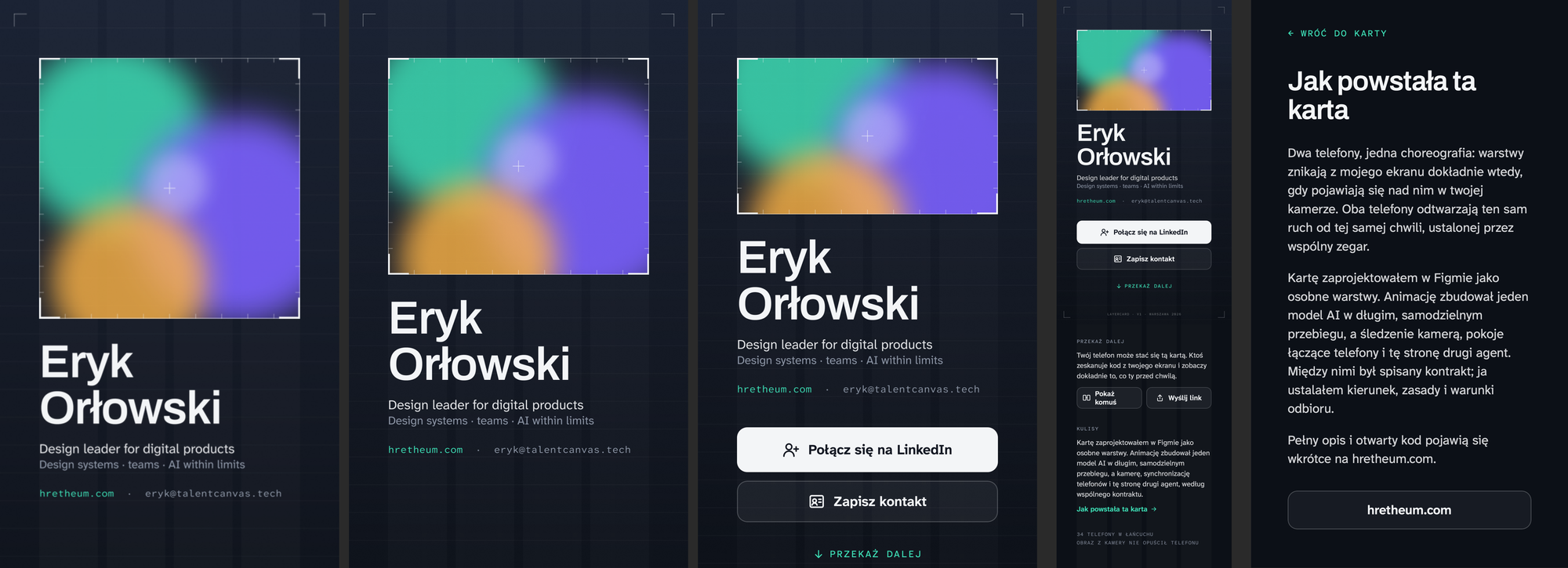
I hold up my phone with a QR code. Two taps on the other screen and the browser opens the link. The camera points at my phone and my card moves from one screen to the other, layer by layer, like a Figma file pulled apart. On the other phone it lands as a full screen, with a button to my LinkedIn and one to save my contact. On mine the card reloads for the next person, and anyone can pass it on.
Underneath there are three neat tricks, just right for small talk over coffee.
Trick one: a marker for the camera
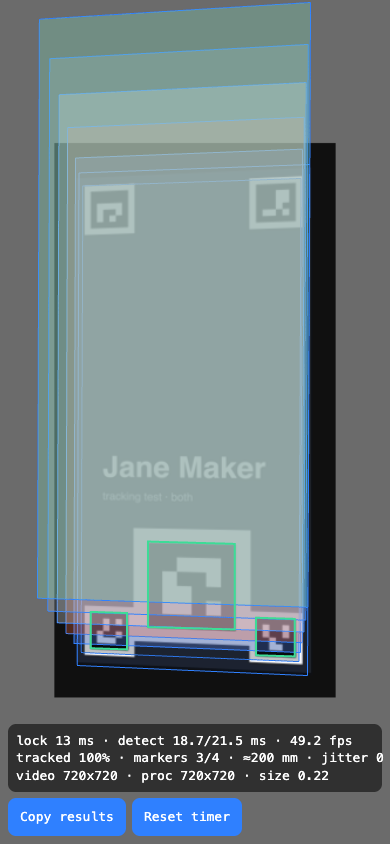
On my screen, in a corner of the card, there is a small black-and-white square. It's a marker, a cousin of the QR code, only simpler: a camera recognises it quickly, even at an angle. Once the guest's phone finds it, it knows where its four corners are. And four corners are enough to work out everything else: how far away the camera is, at what angle, and how the phone is held. It's the same geometry that lets document-scanner apps straighten a crooked photo of a page.
Trick two: keeping two phones in sync
When a piece of the visual puzzle lifts off my screen, it has to appear on the other person's screen at the very same moment. The trouble is that the clocks of two phones don't run in step. They differ by tens or hundreds of milliseconds, and the eye notices a mismatch from a few dozen. Delays and drift could make the two halves of the animation miss each other.
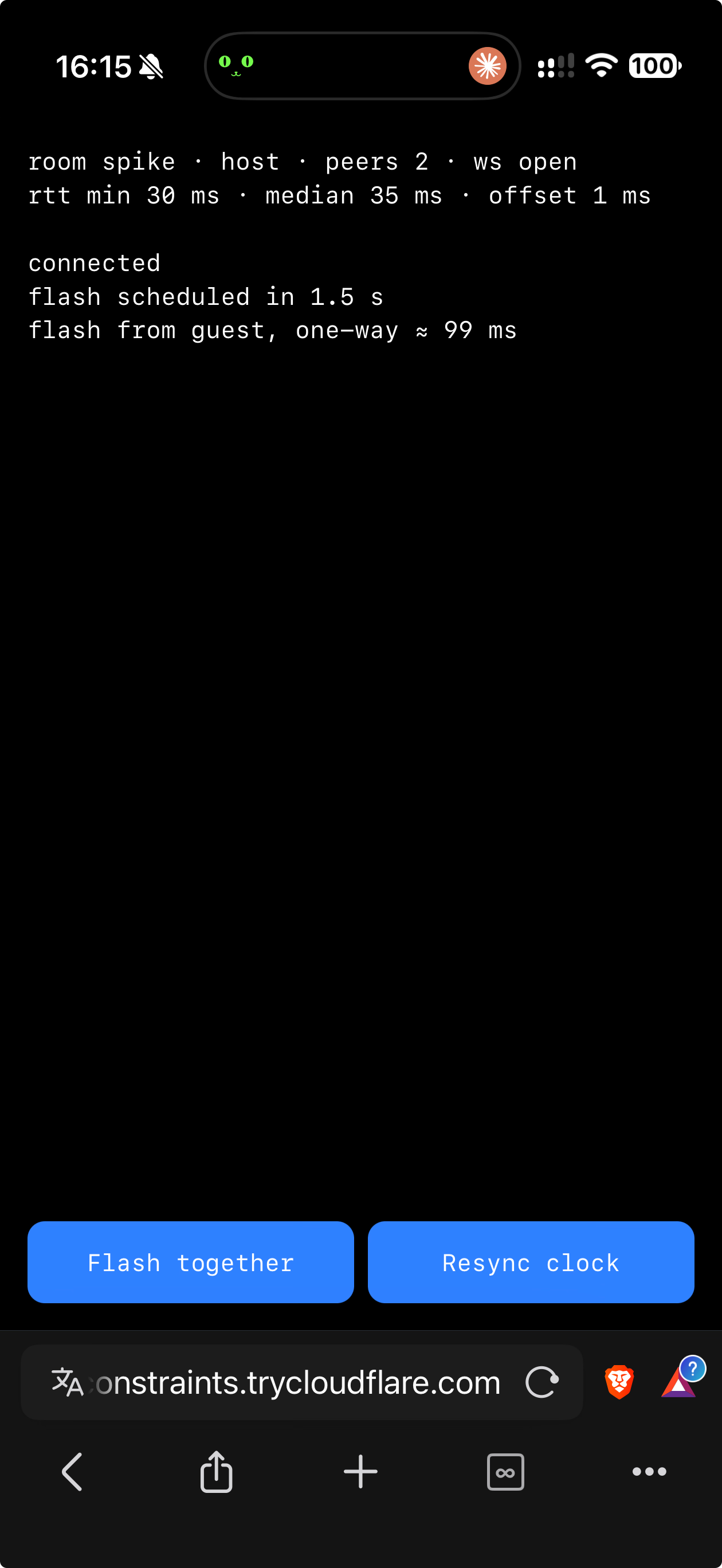
The fix is older than smartphones. Both phones connect to a small "room" in the cloud, and each one asks it a few times: "what time is it?" It measures how long the answer took there and back and assumes half of that is the trip one way. From there it's easy to work out how far the phone's clock is from the server's. The server announces "we start at 12:00:03.250 my time", and each phone converts that to its own clock. In tests the two phones' clocks agreed to within one millisecond.
Trick three: a screen drawn for someone else's eye
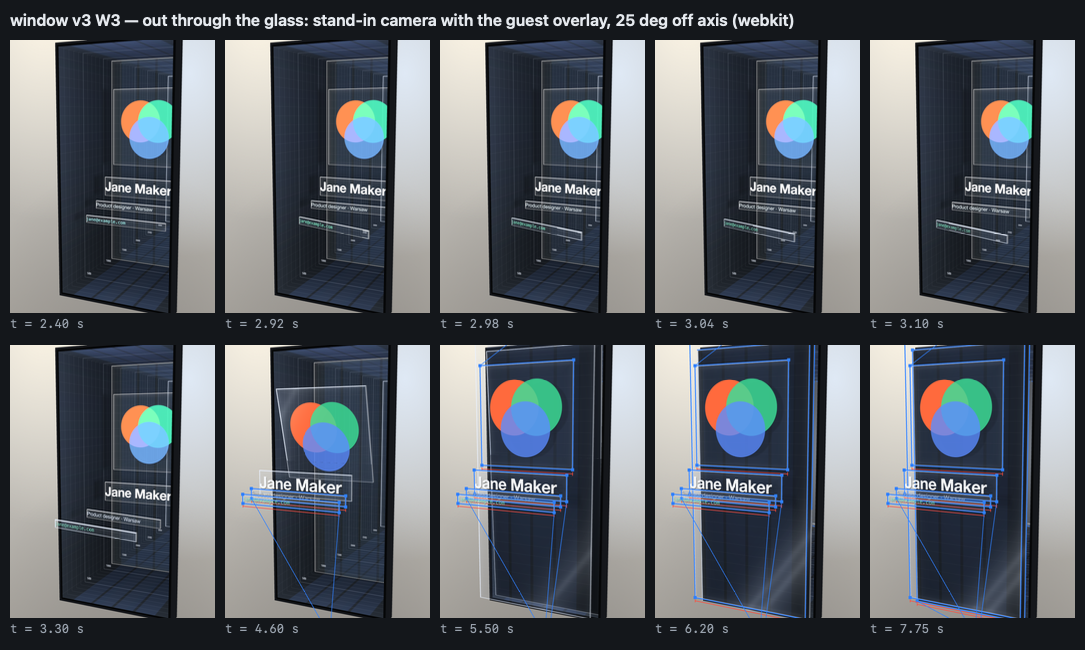
In one version of the animation my screen pretends to be a window into a deep box hidden inside the phone. The illusion only works for the person looking through the camera. About 30 times a second the guest's phone tells mine where its camera is, and my screen draws the box from exactly that viewpoint. Through the lens you see real pixels and real reflections in the glass, not an overlay.
How I made it
AI agents wrote the code. I tried to keep their direction in hand, judged the results, and in the end picked the version that went live. One model built the animations in long runs on its own. A second agent did the rest: recognising the screen, the room with the clock, the page and the deployment.
Five versions
Version 1. The layers slide off the screen. The layers of my card slide away sideways, and in the other person's camera they hang above my phone like a pulled-apart file, with labels and dimensions. The agent worked for an hour and forty minutes. At the end it wrote in its own report what didn't work: for 0.9 seconds the same layer was visible twice, still on my screen and already in the air.
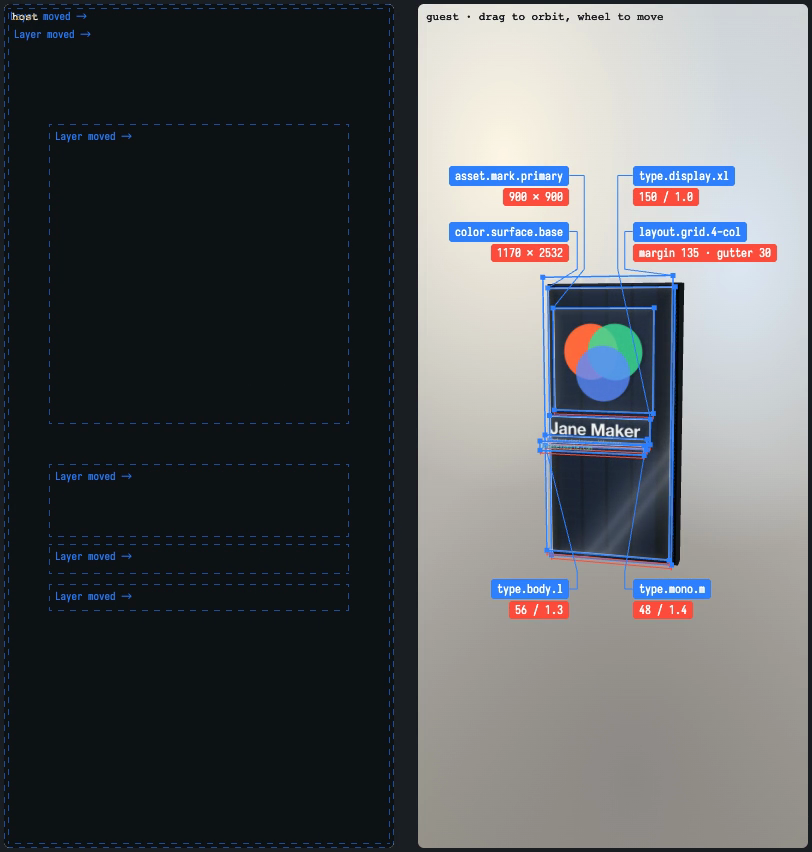
→ See it live: hretheum.com/k/host/?fx=v1 · code and the agent's report: effects/peel-v1
Version 2. One layer in one place. I used that list almost word for word as the brief for the second run. The layer stopped sliding away: it lifts and disappears from my screen in a quarter of a second, exactly when it peels off the glass on the other person's phone.
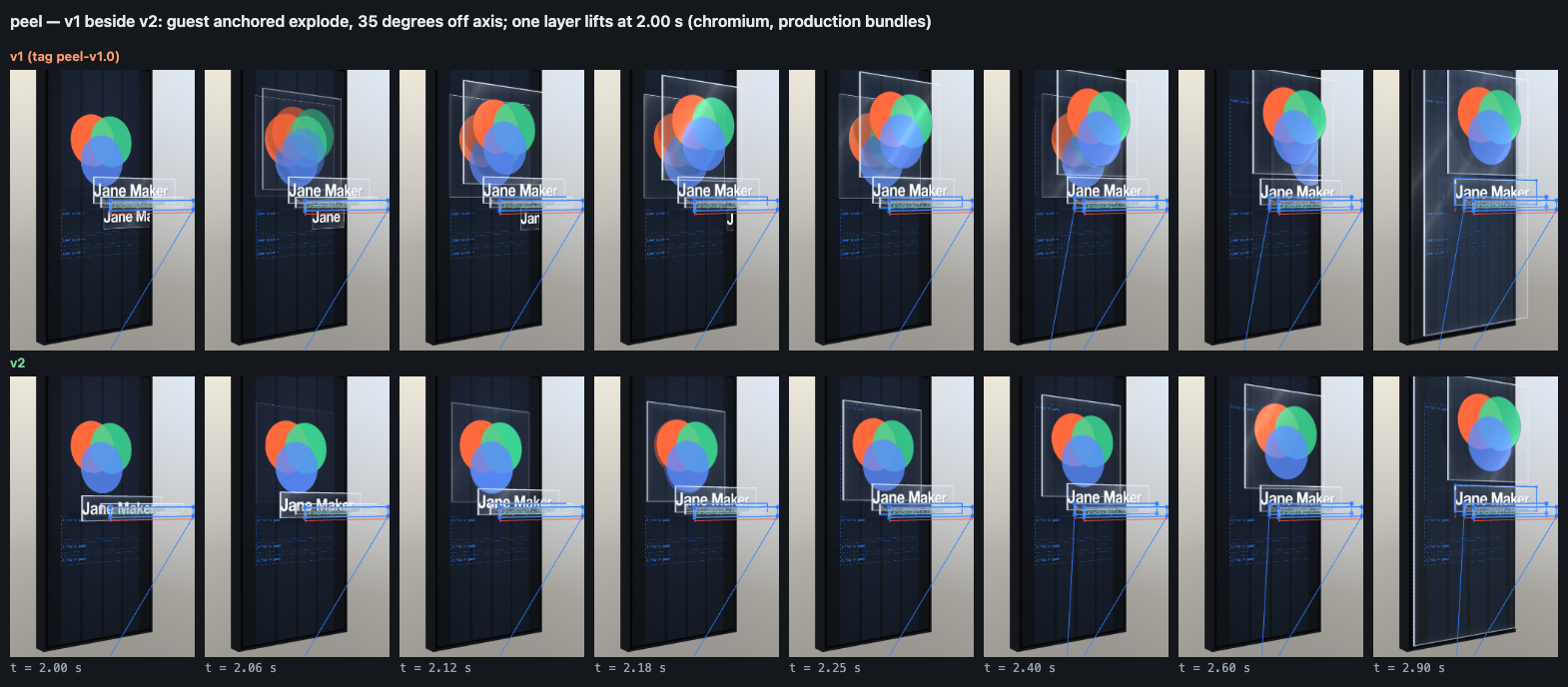
→ See it live: hretheum.com/k/host/?fx=v2 · code and the agent's report: effects/peel-v2
Version 3. The phone is hollow inside. Here I asked for something "completely out there" and got the box from trick three. It works best at an angle. Looking straight on, and on a dark card like mine, the box goes flat and dark.
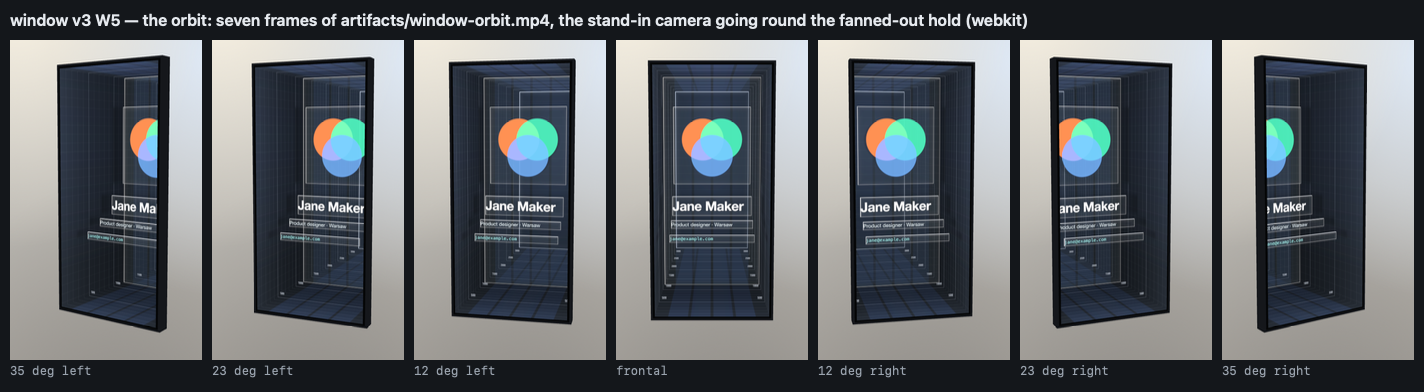
→ See it live: hretheum.com/k/host/?fx=v3 · code and the agent's report: effects/window
Version 4. The file spills into the room. The layers grow to the size of a table, the background unrolls into a wall behind my phone, and a red line shows the real distance between the phones, measured from the camera image. The most interesting bug lived only in the middle of the motion: during the rebuild the background covered the layers that had already landed, for a second. The tests watched the final frames, so it was found only by looking at a strip of frames from the middle of the animation.
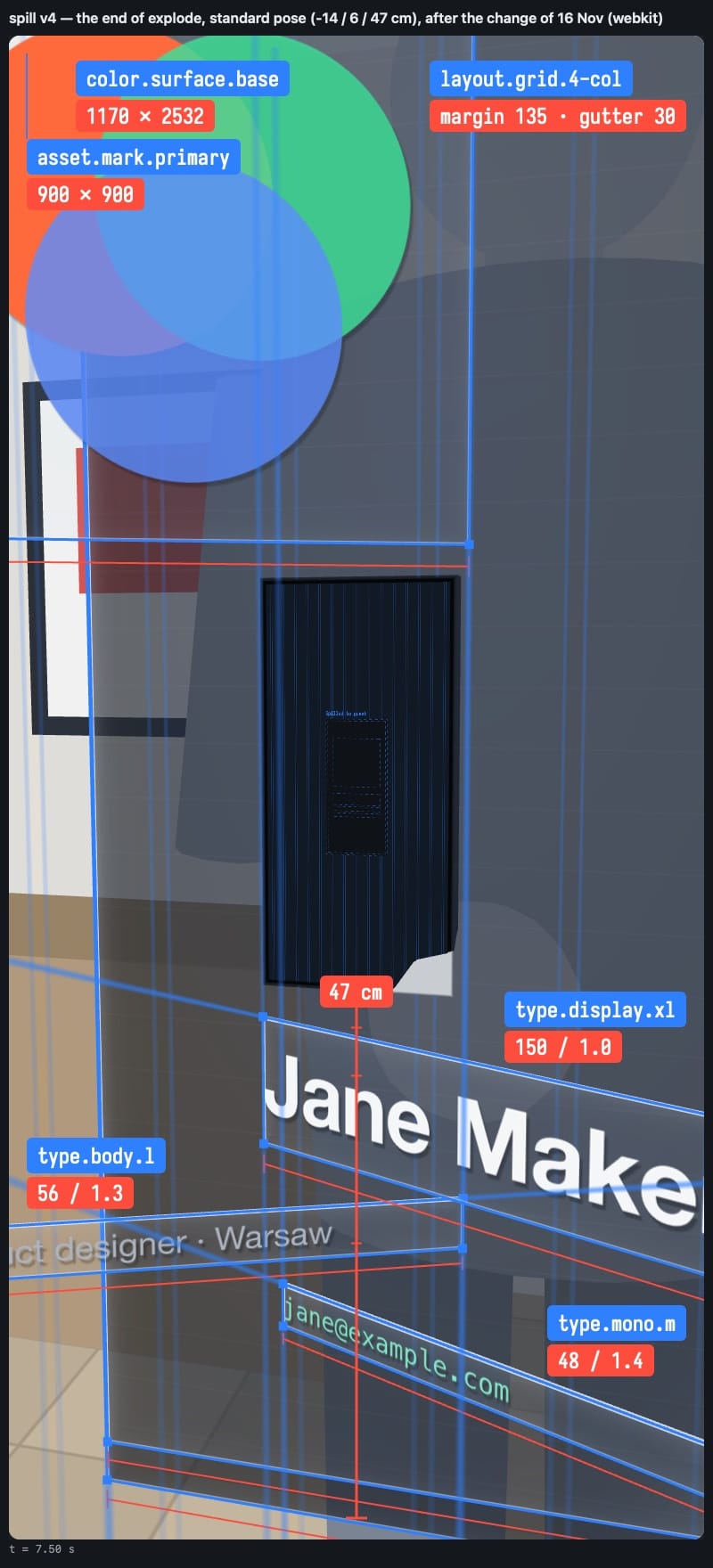
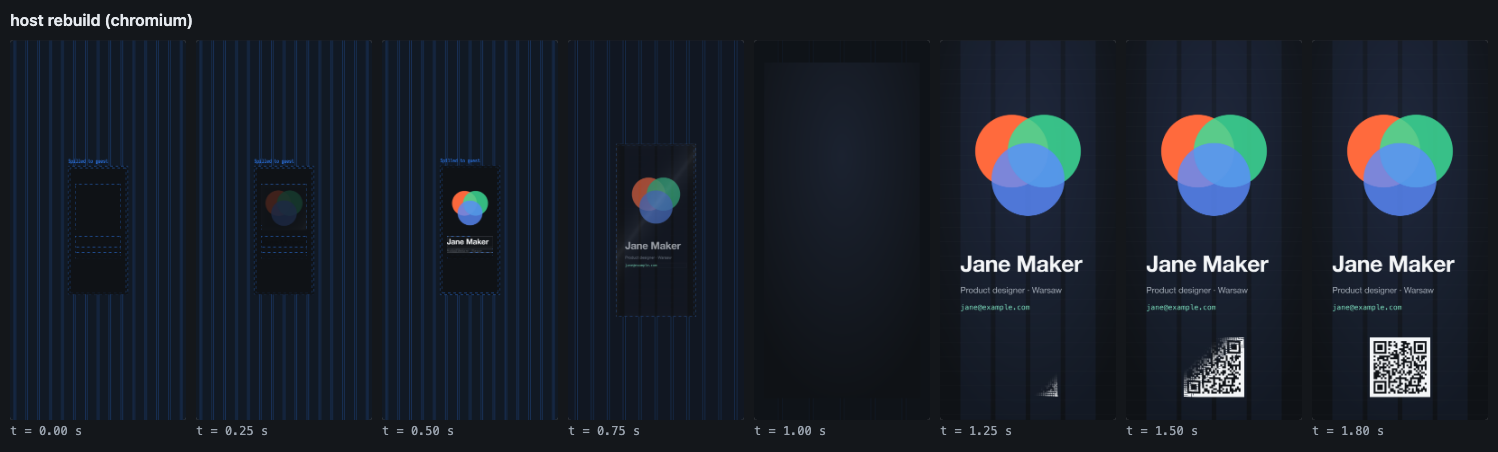
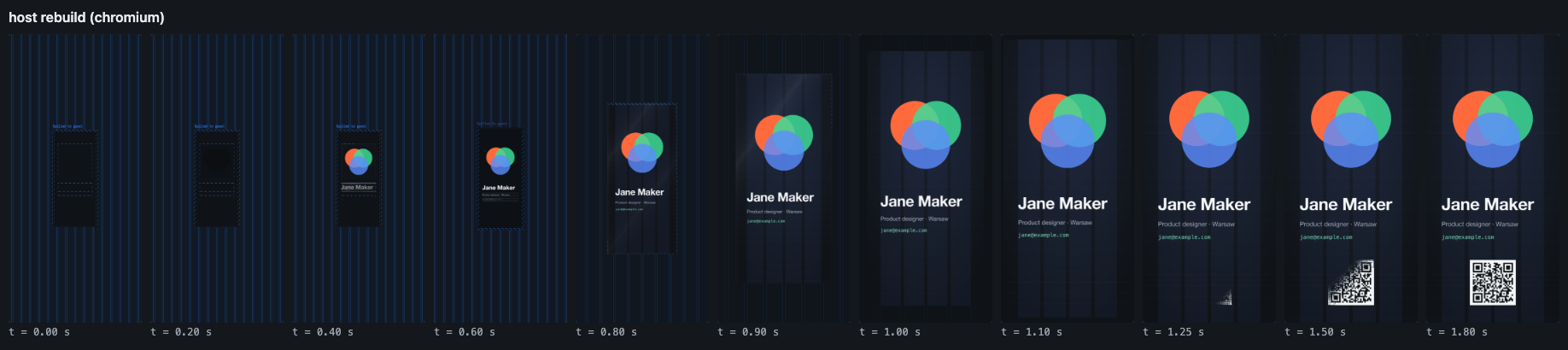
→ See it live: hretheum.com/k/host/?fx=v4 · code and the agent's report: effects/spill
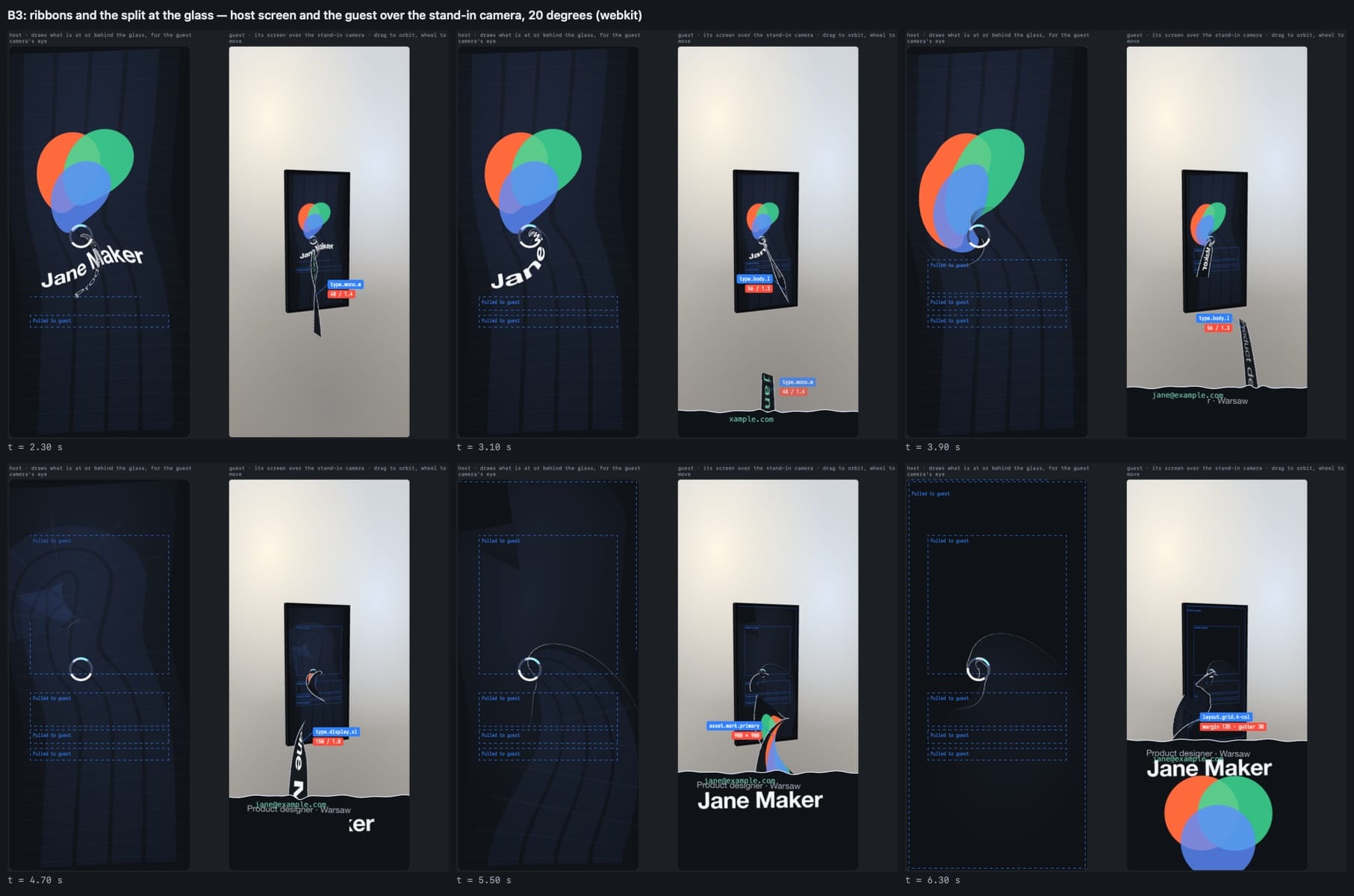
Version 5. The guest's phone has gravity. On my screen the card bends towards the other person's lens, like light around a mass. The layers stretch into ribbons made of their own pixels and flow out through the glass, and the letters are still readable. On the guest's phone they pour in from the bottom and fill the screen like a glass, until the surface settles. When I first saw it I only wrote: "v5 is the one". It became the default version for the event.
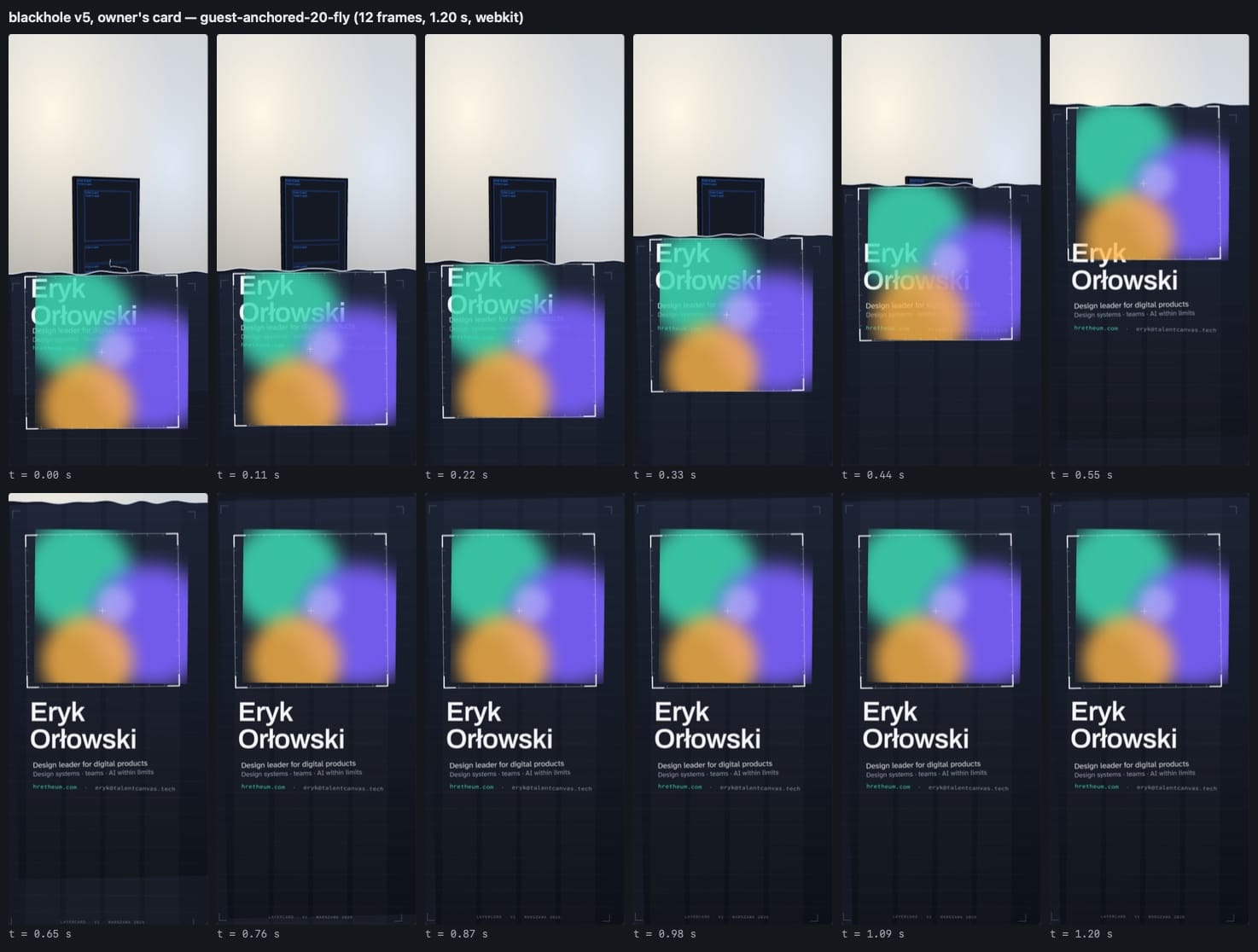
→ See it live: hretheum.com/k/host/?fx=v5 · code and the agent's report: effects/blackhole
If you design and sometimes prompt ;]
Five things that worked:
- Contract first, effect second. Before you ask for an animation, write down what you'd write in a handoff: input, output, timing, what's not allowed. You can then swap the effect five times and everything else holds.
- Ask for a report and turn it into the next brief. Every run ended with a report: what the agent checked, what it didn't, what doesn't work. The best brief for version two was version one's list of bugs, written by whoever made them.
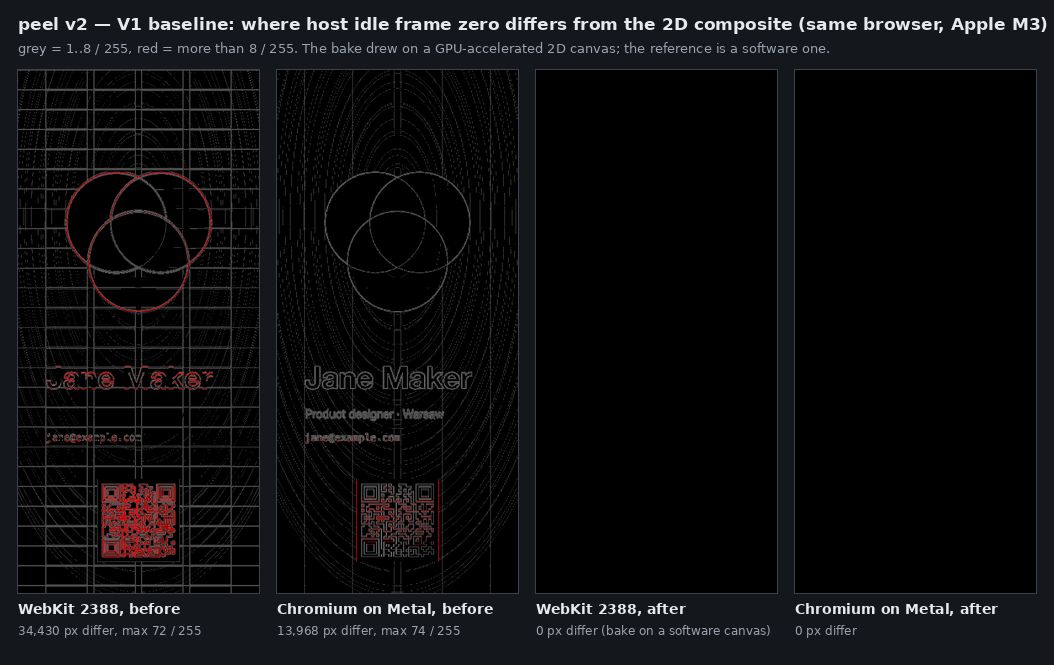
- A green test doesn't mean "it works". Ask what exactly the test measures. An average hid a pixel that was off by 72 levels. The worst case tells you more than the average.
- Look at the middle of the motion. The first and last frames can be perfect while something covers something else for a second in between. Ask for a strip of frames from the whole animation, not just the end result.
- Every version next to the previous one. No version overwrote an earlier one; each had its own folder. That let me compare them side by side instead of from memory.
What the agent never saw
The agent never saw any of the five versions on a real phone. All the tests ran on a Mac, and the guest's "camera" was a recording of my screen fed to the browser as a fake camera.
Take it and make your own
The code is open: github.com/hretheum/layercard. It has all five animations, each with its brief and the agent's report. To make your own card you don't have to touch the code: export the layers from Figma (each layer as its own frame), list them in one file that describes the card, pick one of the five animations and put it up under your own domain. My data isn't in the repo. There's a fictional example card with seven layers instead.